Hooks
A hook is a mechanism that automatically executes specific processing when the AI agent generates or edits artifacts.
Hook Configuration Structure
When you create a project with Accel CLI, a configuration file is placed in the project root.
This configuration file contains hook settings that automatically execute specific processes when artifacts are generated or edited during AI-native development with an AI agent.
Hooks for the GitHub Copilot edition are in preview as of 2026-04-24 and may not execute stably. In this release, a rule has been added to instructions to prompt hook execution.
<project root>
├─ .claude
│  └─ settings.json            - Hook configuration (Claude Code edition)
├─ .codex
│  └─ hooks.json               - Hook configuration (Codex edition)
└─ .github
   └─ hooks                    - Hook configuration (GitHub Copilot edition)
Validation Check
| Hook | Purpose | Trigger Timing |
|---|---|---|
xml-validator | XML file validation check using intra-mart XSD schemas | When an xml file is generated or edited |
java-formatter | Java code format check | Runs when the AI agent finishes responding. Does not run if the stop was caused by a user interruption. |
Hook Behavior Example
The following is an execution example of the xml-validator hook to illustrate how hooks run and what output they produce.
Prompt Example
Please create routing-jssp-config.xml required for displaying the leave request workflow screen.
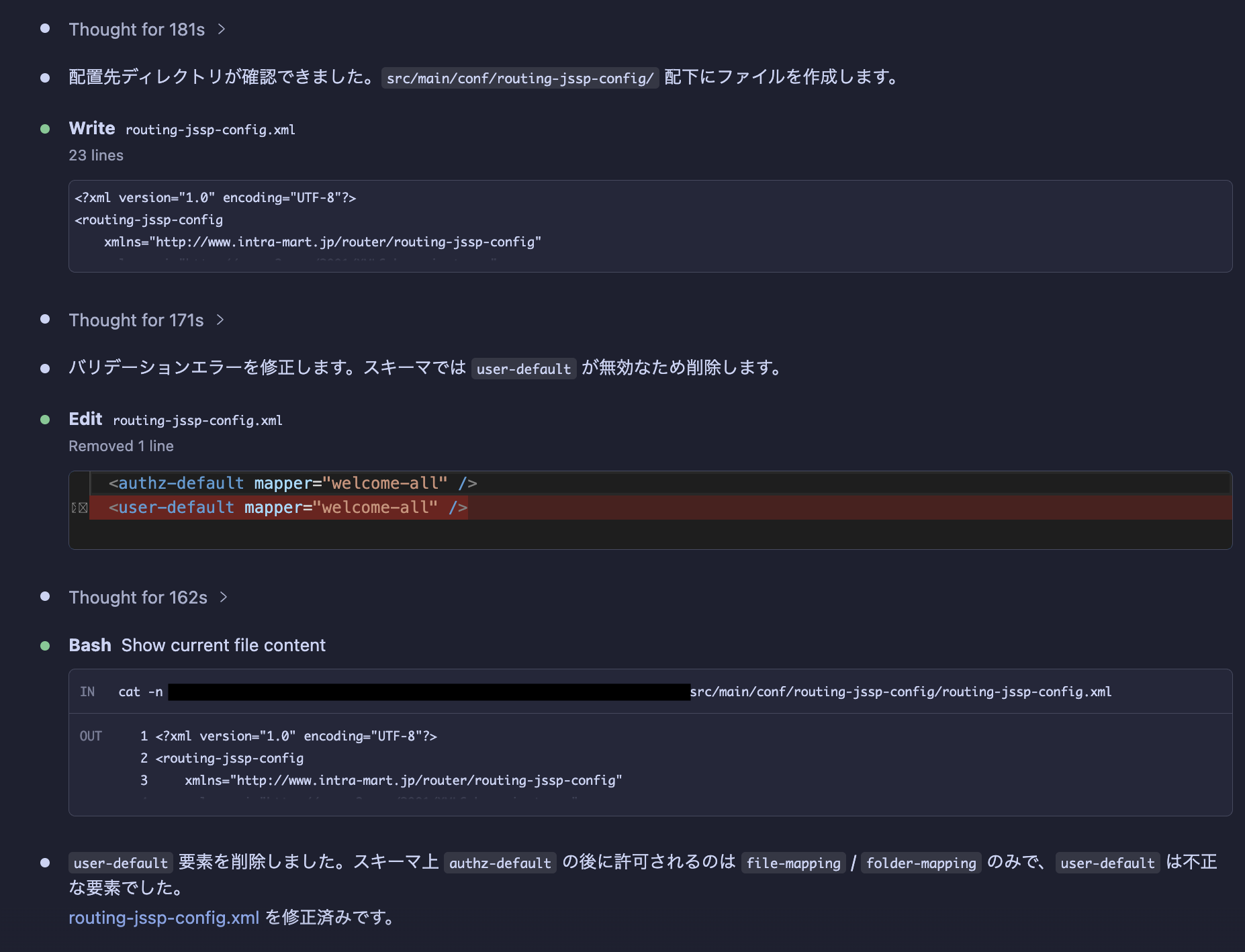
Fixing validation errors.
Just before this message, the hook executed, and you can see that the AI agent corrected the code based on the hook's output.