Generation Examples
This section introduces examples of assets actually generated from prompts. For each example, we show the prompt used, the artifacts generated, and a preview of the artifacts.
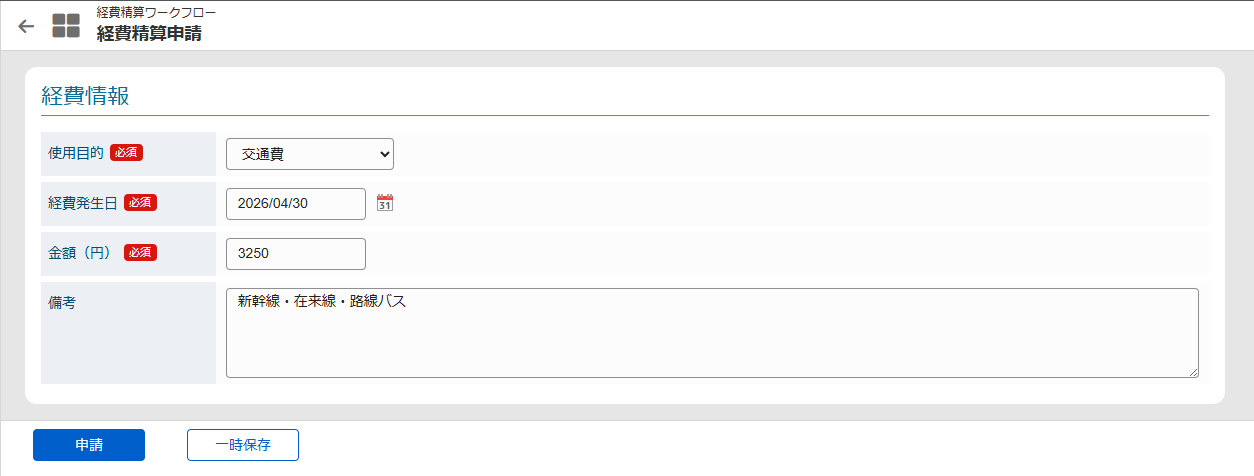
Expense Reimbursement Request
Prompt Example
Minimizing inference, please follow the skill sets and create artifacts based on the specifications below.

- Create an "Expense Reimbursement Request" workflow with corresponding application and approval screens
- Application screen fields: "Purpose of Use" (selection, required), "Expense Date" (required), "Amount" (required), "Notes" (optional)
- Base on the "Sample Company" installed as a sample
- Basic route: Application -> Approval (Section Manager) -> Approval (Sample Section 21) -> End
- However, if the amount is 20,000 yen or more, Approval (Department Manager) is required after Approval (Section Manager)
- Data entered on the application screen should be saved as user data without using a custom table
- For anything else, please decide as appropriate. If you are unsure, please ask.
Generated Artifacts
- IM-Workflow import data (XML)
- Expense reimbursement application screen (JSSP)
- Expense reimbursement processing screen (JSSP)
- Expense reimbursement detail screen (JSSP)
Artifact Preview
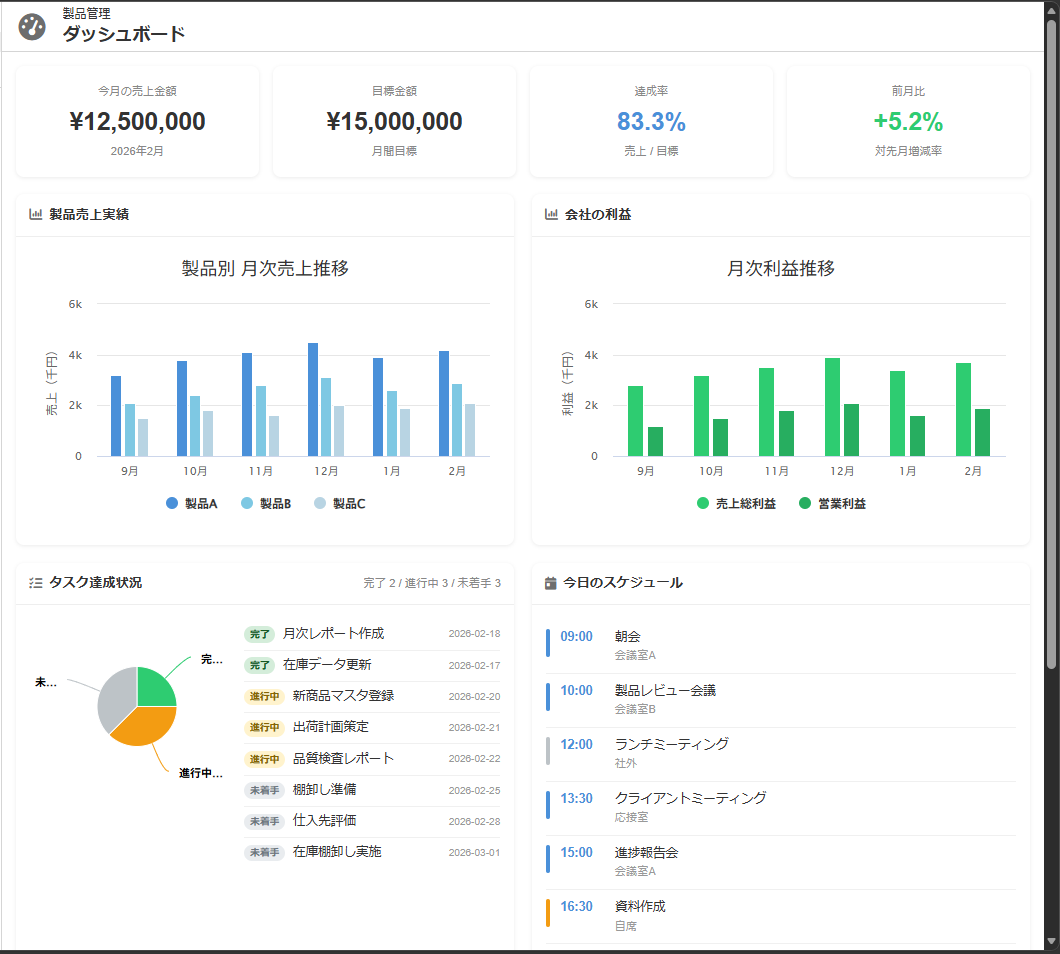
Dashboard Screen
Prompt Example
You are a frontend developer.
I want to create a dashboard screen. Please create a screen template based on the following specifications.

Feature name: product_dashboard

## Screen Specifications

- Dashboard consisting of the following components:
  - Product sales performance chart (bar chart)
  - Company profit chart (bar chart)
  - Sales amount and target amount
  - Today's schedule
  - Task achievement chart (pie chart) and task list for the logged-in user
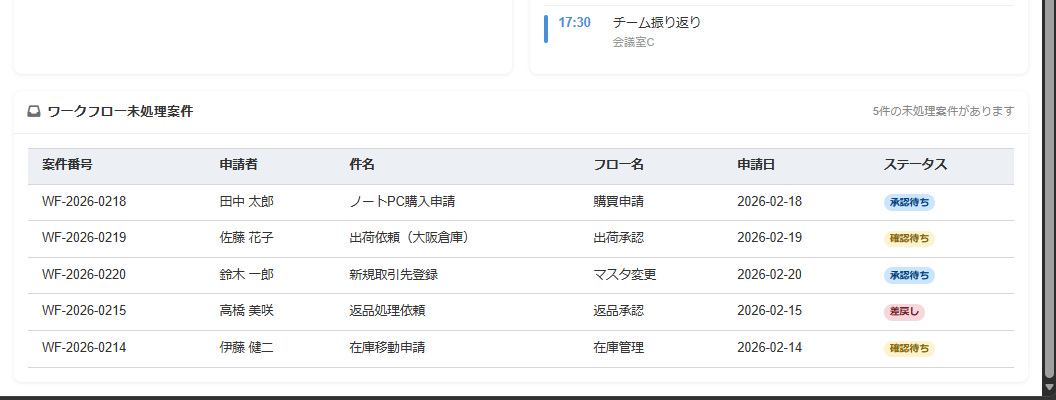
  - List of unprocessed workflow cases
- Layout
  - Arranged in a grid layout
  - Placement is up to you
- Data
  - Dummy data is fine; actual data is not required
Generated Artifacts
- Product management dashboard screen (JSSP)
- Routing table (XML)
Artifact Preview
Wizard-Style Input Screen
Prompt Example
You are an expert in frontend development.
Please build a product shipment request screen based on the following requirements.
Implementation must follow the project's development standards.

## Assumptions

- All data requiring search or reference (product master, parts master, customer master, etc.) may use dummy data
- API integration parts must be replaced with mock functions so that the screens can be operationally verified

## Application Overview

An SPA for submitting product shipment requests using a step wizard format.
The applicant proceeds through each step in order and finally submits the shipment request.

## Step Structure (6 steps total)

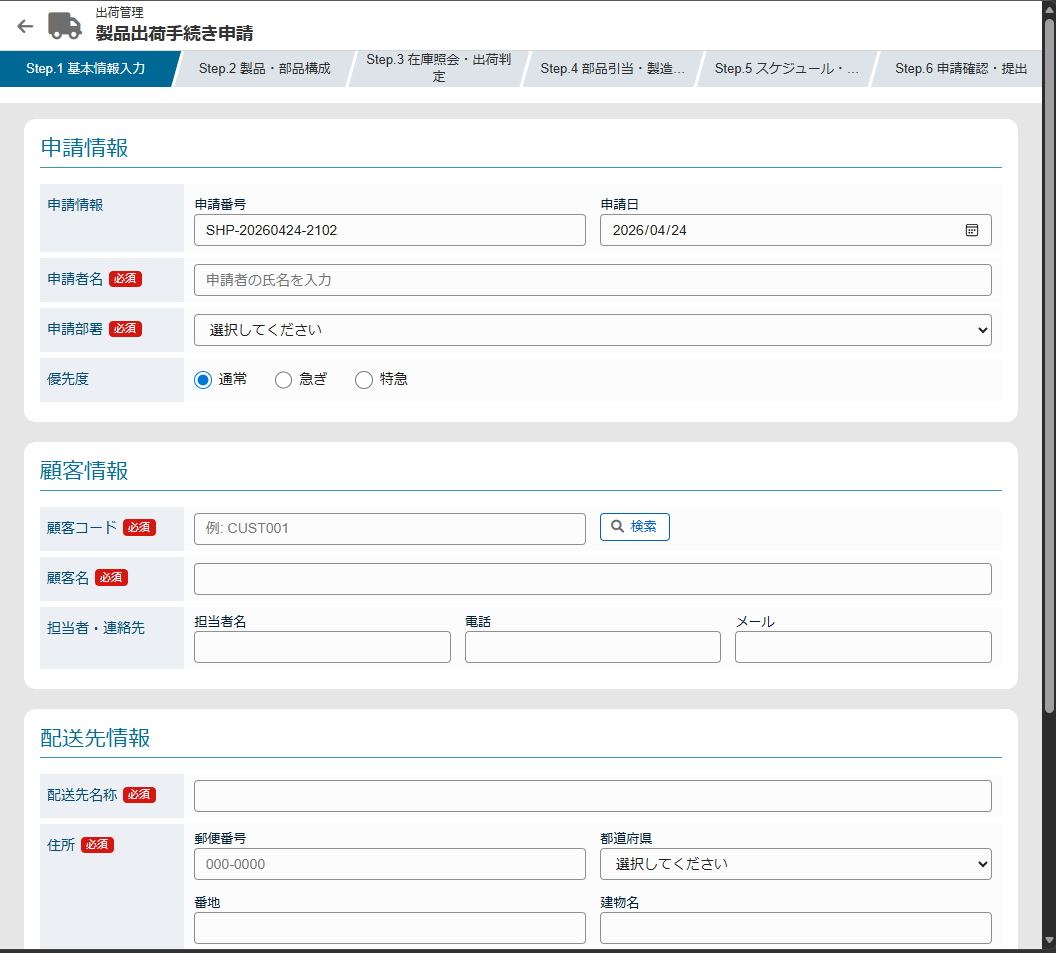
### Step 1: Basic Information Input
Place the following form fields:

**Request Information**
- Request number (auto-assigned, read-only)
- Request date (default: today)
- Applicant name
- Applicant department (dropdown)
- Priority (Normal / Urgent / Express)

**Customer Information**
- Customer code (input or search)
- Customer name
- Contact person name
- Contact details (phone, email)

**Delivery Destination Information**
- Delivery destination name
- Postal code and address (prefecture through building name)
- Delivery contact person and contact details
- Preferred delivery time (Morning / Afternoon / No preference)
- Special instructions (text area)

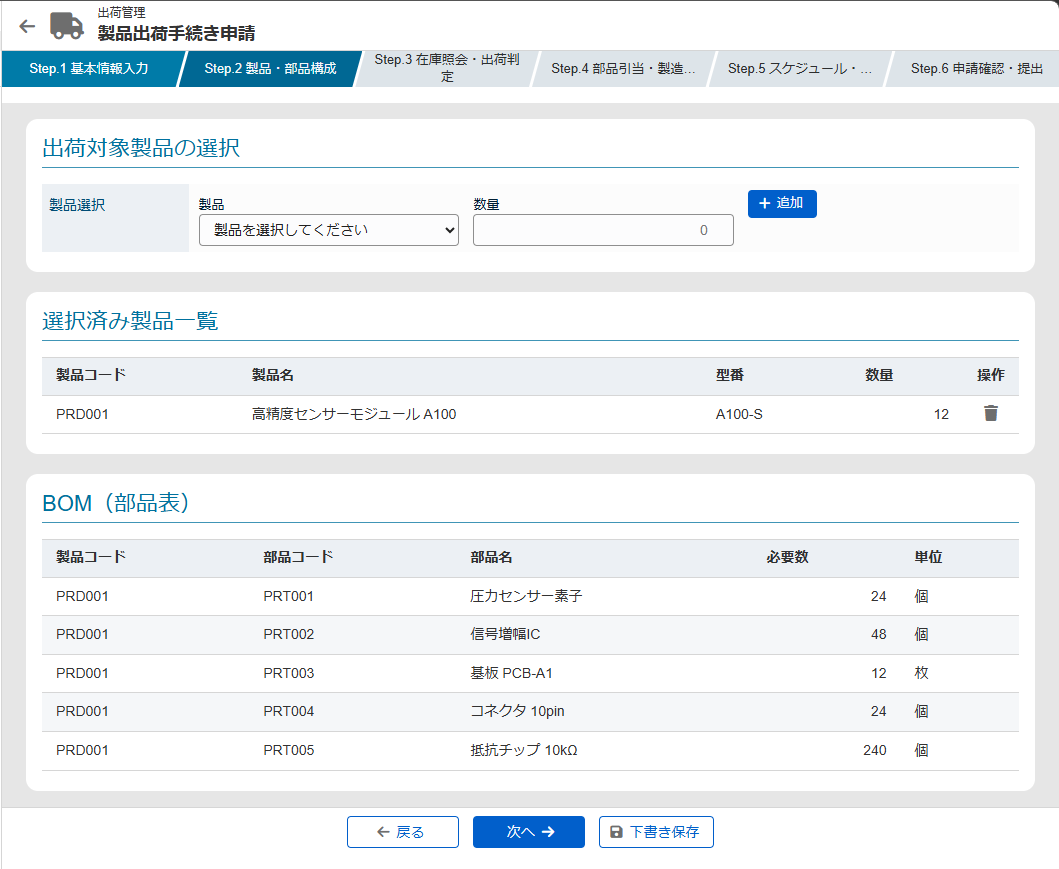
### Step 2: Product/Parts Configuration (BOM)
- Select products to ship (product code, product name, model number)
- Enter quantity
- Display BOM (Bill of Materials) linked to selected products in a table
  - Part code / Part name / Required quantity / Unit
- Multiple products can be added

### Step 3: Inventory Check / Shipment Determination
- Execute inventory check for parts selected in Step 2
- Display inventory status for each part in a table
  - Part code / Part name / Required quantity / Stock qty / Surplus/shortage / Status (○ Sufficient / △ Partial shortage / × Insufficient)
- Display overall determination result
  - **Shippable**: All parts sufficient → can proceed to next step
  - **Partial shortage**: Display list of shortage parts and alternatives
  - **Cannot ship**: Display alert, place application on hold or return

### Step 4: Parts Allocation / Manufacturing Simulation
- Confirmation screen for allocation (reservation) of parts determined to be shippable
- List of parts to be allocated (allocation quantity, warehouse location)
- Display manufacturing process simulation results
  - Process name / Time required / Responsible line
  - Simple Gantt chart-style visual display
- Estimated manufacturing lead time

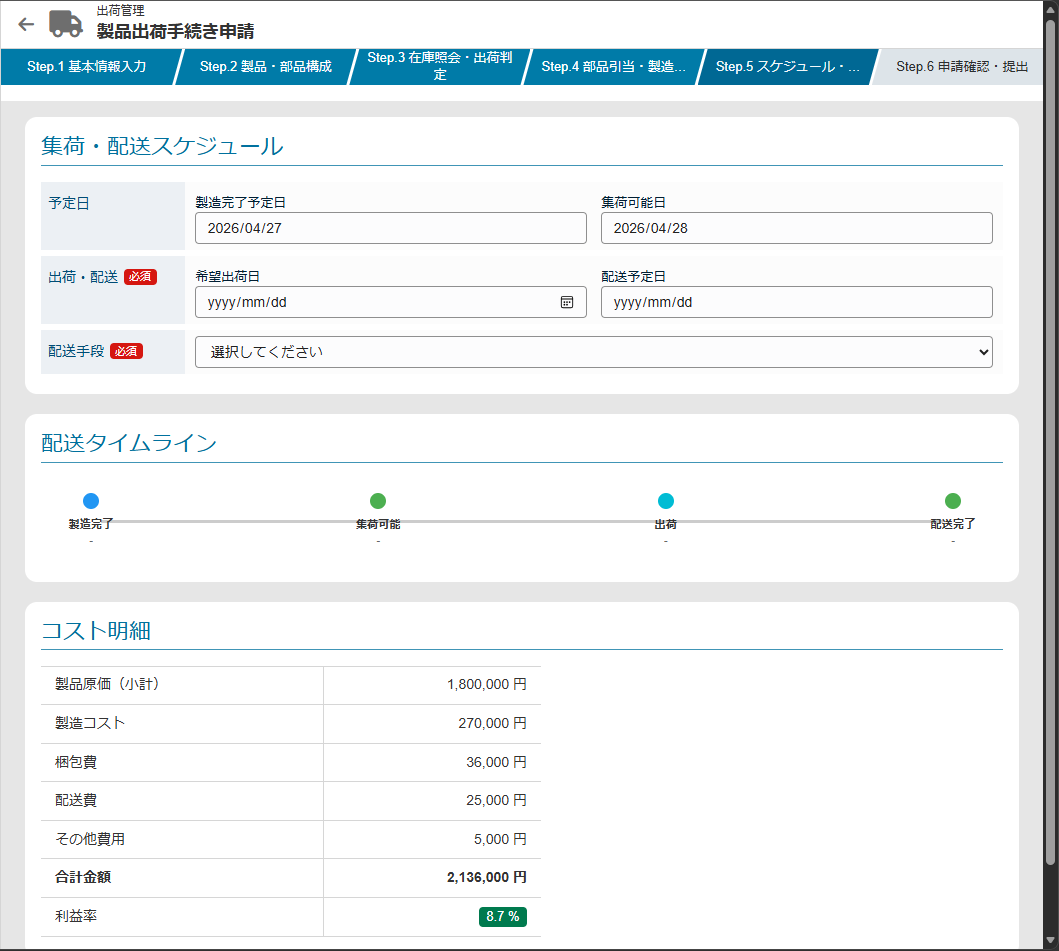
### Step 5: Schedule and Cost Confirmation
**Collection and Delivery Schedule**
- Scheduled manufacturing completion date
- Available collection date (estimated)
- Desired shipping date (input)
- Scheduled delivery date
- Shipping method (dropdown: Charter / LTL / Courier / Company vehicle)
- Timeline display (visual)

**Cost Breakdown**
- Product cost (subtotal)
- Manufacturing cost
- Packaging cost
- Shipping cost
- Other expenses
- Total amount
- Profit margin (auto-calculated and displayed)

### Step 6: Application Confirmation and Submission
- Display a summary of all steps' inputs
- Attachment upload area (specifications, drawings, etc.)
- Approval route display (Applicant → Supervisor → Shipping Management Department)
- Notes and internal comments field
- "Submit" button (with confirmation dialog)
- "Save as Draft" button

## UI/UX Requirements

- Step wizard navigation (step indicator at the top)
- Visually distinguish current step, completed steps, and unreached steps
- "Back" and "Next" buttons to navigate between steps
- Validation at each step (check for missing required fields)
- Tables displayed with readable striped rows
- Statuses visualized with color badges
Generated Artifacts
- Product shipment request input wizard screen (JSSP)
- Routing table (XML)
Artifact Preview
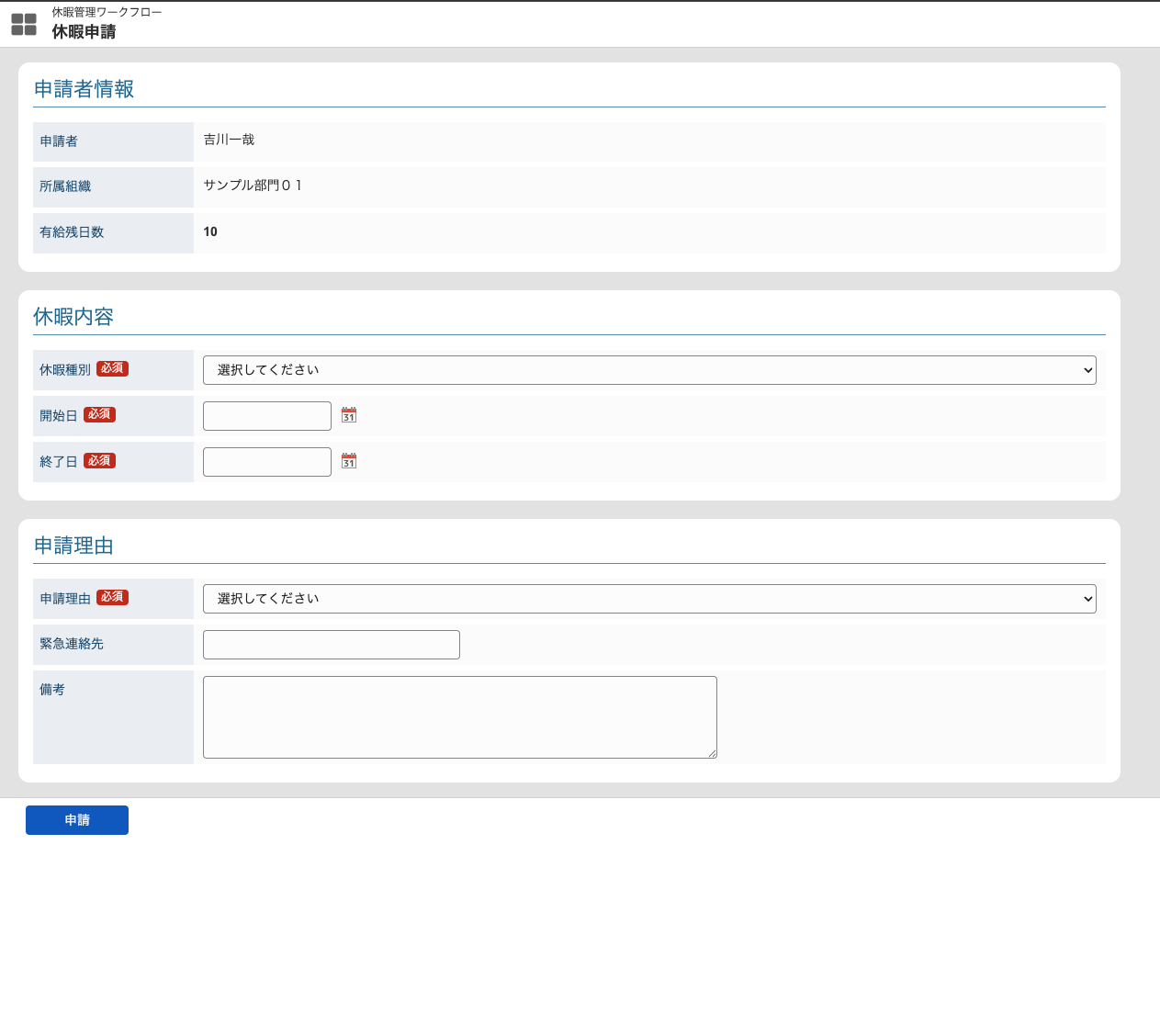
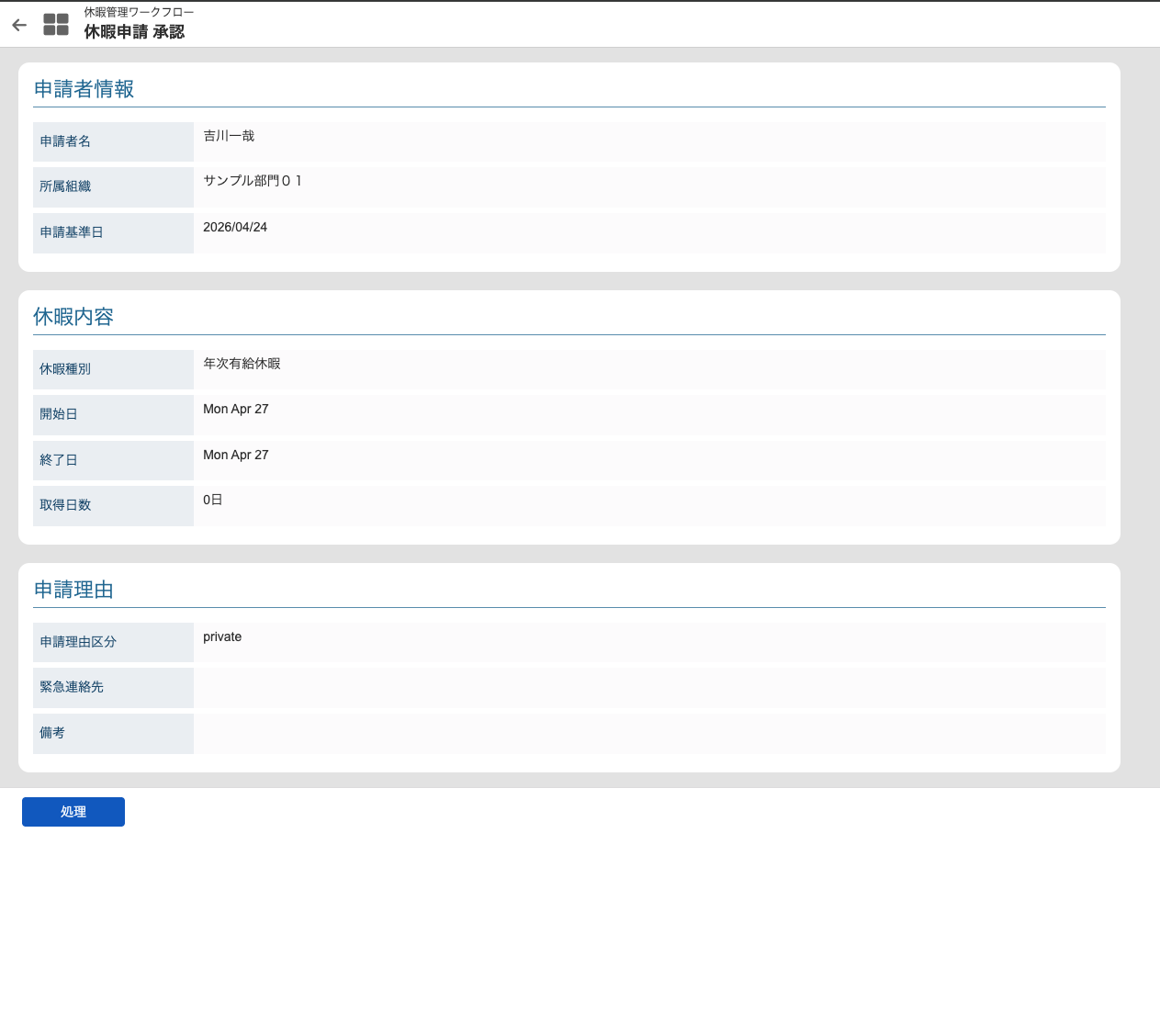
Leave Request Screen
Prompt Example
Please refer to @leave-request-prompt and create the artifacts.
The specification for @leave-request-prompt referenced in this example is compiled in the Leave Request specification sample.
While this page shows a practical example of the prompt, the specification sample explains the same subject in detail from the perspective of a specification document.
Generated Artifacts
- IM-Workflow import data (XML)
- Leave request application screen (JSSP)
- Leave request processing screen (JSSP)
- Leave request detail screen (JSSP)
- Leave request action processing (JSSP)
- Routing configuration (XML)
- DDL / DML (PostgreSQL, Oracle, SQL Server)
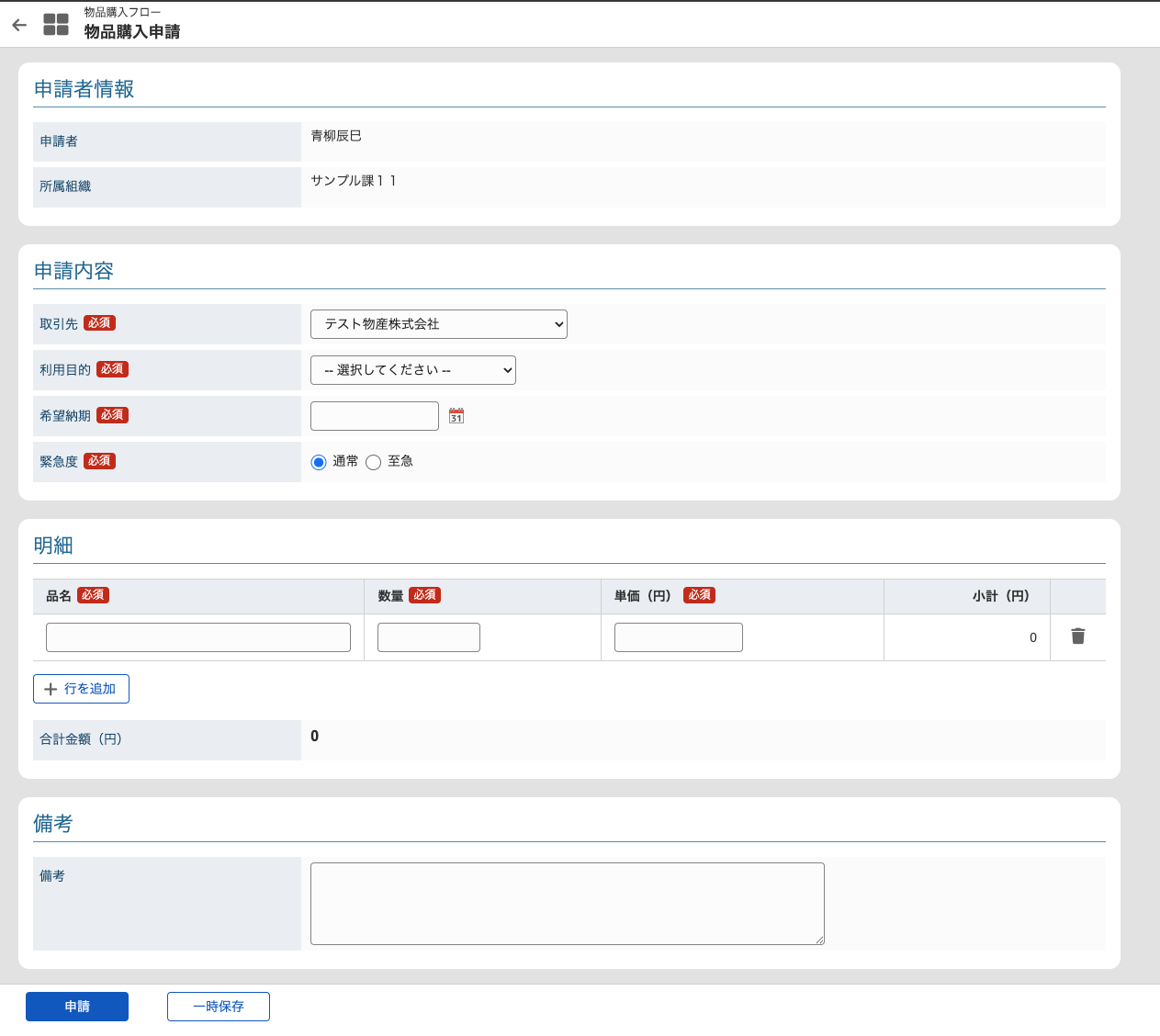
Artifact Preview
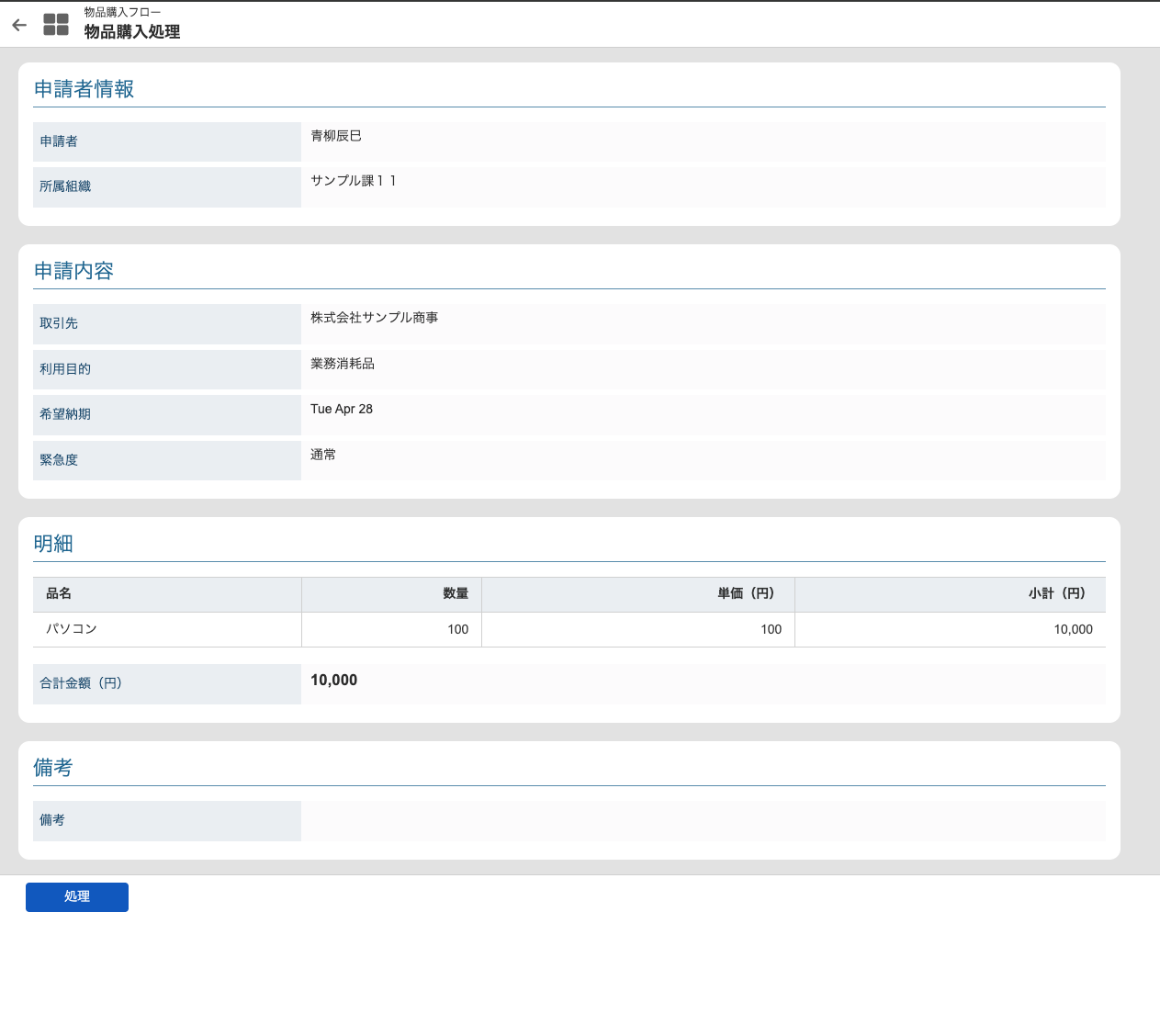
Goods Purchase Request
Prompt Example
Please refer to @purchase-of-goods-prompt and create the artifacts.
The specification for @purchase-of-goods-prompt referenced in this example is compiled in the Goods Purchase Request specification sample.
While this page shows a practical example of the prompt, the specification sample explains the same subject in detail from the perspective of a specification document.
Generated Artifacts
- IM-Workflow import data (XML)
- Goods purchase request application screen (JSSP)
- Goods purchase request processing screen (JSSP)
- Goods purchase request detail screen (JSSP)
- Goods purchase request action processing (JSSP)
- Routing configuration (XML)
- DDL / DML (PostgreSQL, Oracle, SQL Server)
Artifact Preview